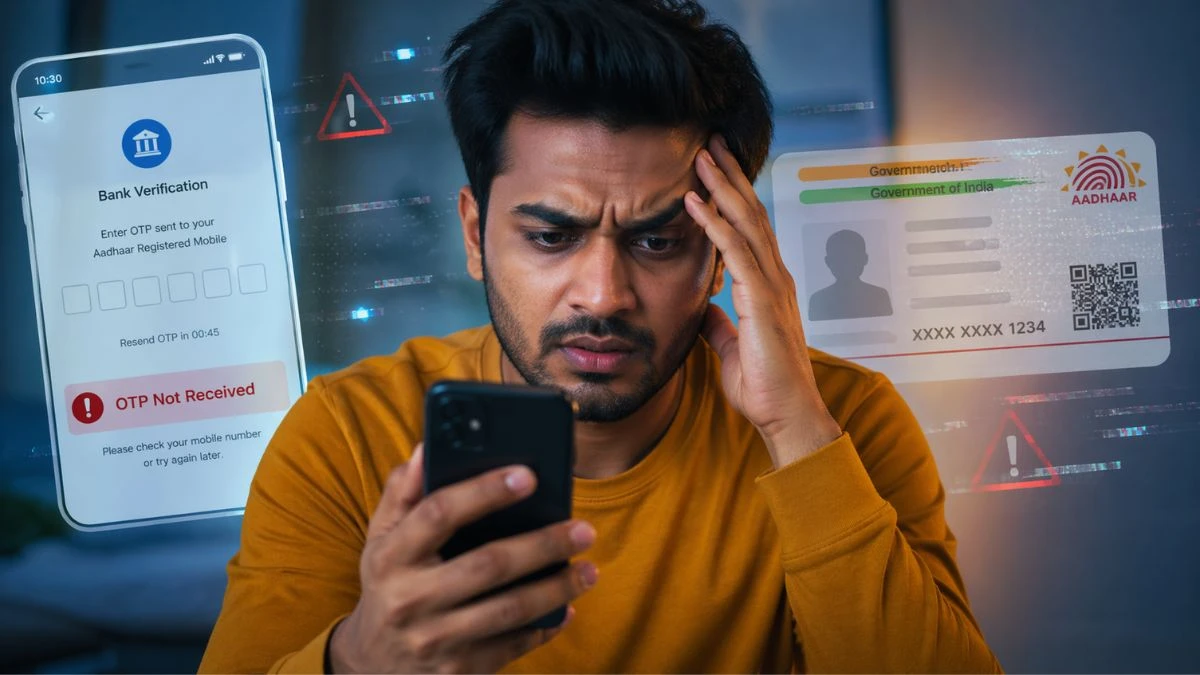
You are attempting to download your e-Aadhaar, perform an eKYC to open a new bank account, or confirm your identity to submit an income tax return, and the OTP just does not come. The screen continues to wait. You ask it again. Still nothing. It is a digital dead end, which is most irritating to an Indian citizen and you can happen to be in a situation where that six-digit code is between you and a valuable transaction.
You are not alone. Having more than 134 crore live Aadhaar users and authentication based on Aadhaar being applied to all the things such as LPG subsidies to insurance eKYC, the pressure on this system is immense. Universal ID Authority (UIDAI) registered over 284 crore authentication transactions in January 2025, i.e. more than nine crore verifications per day. Even a small percentage of those sessions that go into OTP delivery errors would translate into millions of frustrated citizens.
This troubleshooting guide lists all the known causes of your Aadhaar OTP not coming, along with detailed, step-by-step troubleshooting, including the most basic network adjustment and visiting an Aadhaar Seva Kendra. We have also added the official recommendations of UIDAI itself so that you can know the exact contact of who to call in case self-help fails.
Also Read: Direct Benefit Transfer System: Efficiency or Centralization?

What Is an Aadhaar OTP and Why Is it So Important?
An Aadhaar OTP (One-Time Password) is a 6-digit time-sensitive code that UIDAI sends to the mobile number that you have registered under your Aadhaar. It serves as your online signature and identity document when a service provider, a bank, a telecommunications company or a government portal, requires verification of your identity electronically.
And this little code, the key to:
- Get your e-Aadhaar on uidai.gov.in.
- Savings or demat account opening eKYC.
- Connecting your PAN card with Aadhaar.
- e-Checking of income tax returns.
- Turning on a new SIM card.
- Using DigiLocker and UMANG services.
- Enrolling into the mAadhaar app.
Importantly, the OTP is sent to the mobile number in the UIDAI database, which is not always the one you are using at the moment. It is this fact alone that contributes towards most OTP failures.
The Statistics of the Issue
The scale allows you to before getting into solutions, a sense of how the system is at times struggling:
- As of early 2026, it is estimated that 1.44 billion+ Aadhaar numbers have been issued (UIDAI Dashboard).
- In August 2025 alone, 221 crore authentication transactions were registered, a 10% increase over the previous year.
- Aadhaar authentication is used by almost 550 organizations in the banking sector, telecom industry, insurance, and in government organizations.
- Aadhaar face authentication saw a record of 1.5 crores transactions on September 1, 2025.
Even a short-term load spike by the server, network congestion, or delay at a telecom gateway, can impact lakhs of users at once, at this scale. This background will assist you in making a diagnosis about the nature of your OTP issue: either personal (a mismatched mobile number) or systemic (a delay during peak load).

Also Read: How to Report Cyber Crime Online in India
Top 8 Reasons Why Your Aadhaar OTP Has Not Received
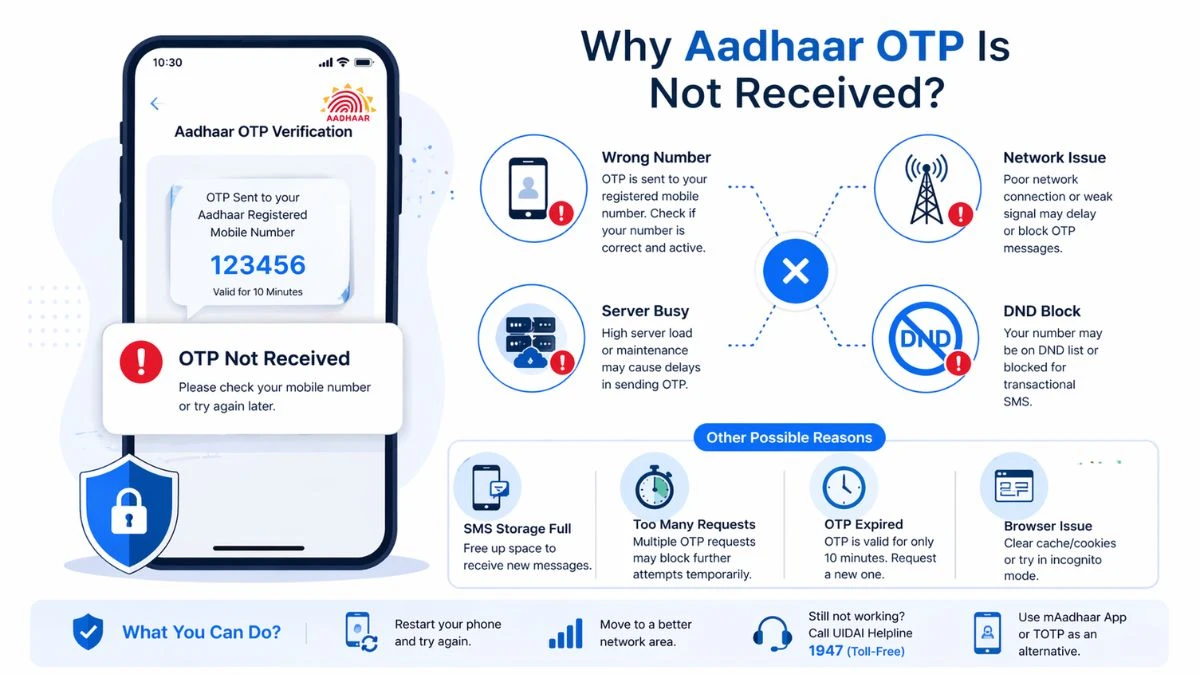
1. Your Registered Mobile Number is not correct or old
It is the one most widespread reason, and even the official channels of UIDAI have raised the red flag numerous times. The system forwards the OTP to the number registered in the UIDAI database and not the number you are using in your active SIM.
A large number of individuals registered Aadhaar many years ago with a number which they no longer use. You may also be having the previous digits on the Aadhaar database, even after changing operators, losing your previous SIM or porting your number. According to one of the most popular UIDAI tweets, some of the main causes of the failure to get an OTP include network issues, blocked phones, and incorrect mobile number registration.

Checking: Go to uidai.gov.in → My Aadhaar → Aadhaar Services → Verify Email/Mobile Number. Add in your Aadhaar number and the mobile number that you are likely to be registered with. The portal will tell whether it matches or not.
2. Your Cell Number is Blacklisted/Blocked by Your Operator.
Telecommunication companies in India have DND (Do Not Disturb) registries and spam-filtering systems. If your number is registered on the DND list or your operator has blocked the transactional SMS of some shortcodes, then the UIDAI OTP message will not even be sent to your phone.
This is especially frequent when you have just switched on a new SIM, transferred your number or when your carrier has changed its spam-filtering rules.
Speed test: Request a friend to send you an OTP with any other service (banking, e.g.). Provided that the former arrives fine and that of Aadhaar does not, the problem will probably be that the UIDAI SMS gateway is blocked by your provider.
3. Signal/network problems on your phone.
SMS can be blocked due to weak cell signal, temporary tower failure or even loss of entire cell phone storage. The official guidance provided by UIDAI specifically singles out phone storage capacity being full as a possible barrier, SMS systems require a small buffer of storage to get new messages.
Bugs to fix now:
- Toggling Airplane Mode on and off (10 seconds) is a trick to re-establish your network connection.
- Check signal bars; get out of the house or go somewhere with a better signal.
- Clear SMS messages to create more storage space.
- Reboot your phone.
4. Too Many OTP Requests Have caused a Temporary Block
The authentication system of UIDAI contains rate-limiting that ensures that it is not abused. When you request too many OTPs within a small time span, e.g., five attempts within two minutes, the system might temporarily block subsequent requests of your Aadhaar number.
The solution: Wait 5 to ten minutes between tries. Also, OTPs should always be entered as soon as received, an older OTP must not be entered once a newer OTP has been received, as this will not result in an OTP failure, but an authentication failure.
5. OTP has already elapsed
Aadhaar OTPs have a short life span, usually 10 minutes, upon generation. When you have a slow network, a slow-loading browser or have just left your screen, the OTP might have expired before you can type it in.
Always demand a new OTP in case you think that the one you were using has expired and fill the code immediately after receiving it.
6. UIDAI Portal/Server is Overloaded
The UIDAI servers may be slow during peak periods when there are income tax filing last dates, government subsidy filing dates or even during a national enrollment drive. The system was processing more than nine crore authentication requests daily in January 2025. OTP generation and dispatching of SMS can take several minutes on days of high traffic or may not work at all.
How to know: Visit the official Twitter/X handle of UIDAI (UIDAI), or the mAadhaar app, to know about any service disruption. Reattempting early in the morning, or late at night, during busy dates will usually fix the problem.
7. Browsers or Browsing Problems on the UIDAI Portal
When you are on the UIDAI site on a desktop or laptop, the outdated browsers, corrupted cookies or extensions that block scripts can disable the “Generate OTP” button, causing the OTP to not go through, which may give the impression that the OTP was not sent at all.
Fixes:
- Empty your browser cache and cookies.
- Open an Incognito or Private browser.
- Upgrade to a new edition of Google Chrome, Mozilla Firefox, or Microsoft Edge.
- Do not use extremely old browsers that cannot abide by new security measures.
8. Your Aadhaar is yet to show a recent update of mobile number
In case you recently changed your mobile number at an Aadhaar Seva Kendra, the change is not reflected immediately in the authentication database at UIDAI. It may take up to 72 hours for updates to reach all systems. Any attempt to use OTP-based services at this period will still be redirected to your old number.
The official advice of UIDAI is clear with regards to this matter: once an update is successful, one should wait until this extraction time, only after which the new number will be used to send OTPs.
How to work step-by-step fixes: What to do now.
Fix 1, Check Your Mobile Number that is registered (2 minutes)
Browse to open uidai.gov.in in a new browser.
- Go to: My Aadhaar and then Aadhaar Services and verify email/mobile number.
- Enter 12 digits Aadhaar number, the mobile number that you think is registered and the security captcha.
- Click Send OTP, in case the number is right, you will get a verification OTP.
In case the OTP comes to this point, your number is verified. It is probably a network or browser-related problem.
In case nothing comes, go to Fix 3.
Fix 2, Use the mAadhaar App, not the Website
The mAadhaar app (on both Google Play Store and Apple App Store) occasionally provides OTPs more consistently than web-based portals, since it uses the mobile infrastructure of UIDAI directly instead of going through web gateways.
- Get the official mAadhaar app.
- Either sign up or authenticate your Aadhaar in the app.
- This may be used to isolate the issue either with the UIDAI site itself or the SMS delivery.
Find 3, Call UIDAI Toll-Free Helpline: 1947
In case of non-verification of your mobile number or your number is verified but OTPs are not received, the best solution is to call the customer care of UIDAI directly.
Steps:
- Dial 1947 (toll-free, available 24×7)
- Choose your language of choice at the prompt.
- Wait until the IVR asks to press 9 to talk to a representative.
- State that you are not getting OTPs even though you have a registered confirmed mobile number.
- Record your complaint number to follow up.
Several users have noted that the UIDAI backend team is able to identify and fix OTP delivery problems within 24 to 48 hours, by forwarding the case to the respective SMS gateway team. It may not always send you a notification that it has been fixed; test by trying the service again after 48 hours.
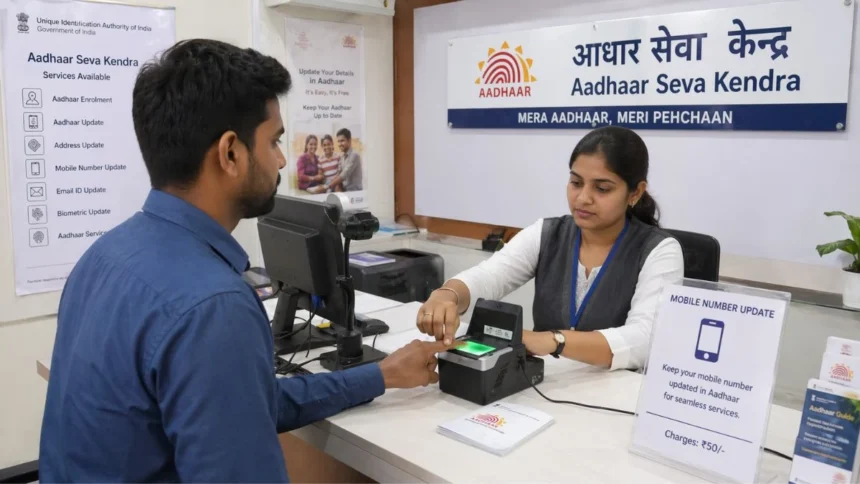
Fix 4, Change Your Mobile Number at an Aadhaar Seva Kendra
When you get it incorrect, inactive or not in your possession anymore, then the only method to update your registered number is by visiting it. This cannot be fully done online without having access to the number that is currently registered.
What to do:
Go to your closest Aadhaar Seva Kendra (ASK) or Common Service Centre (CSC). Locate and Enrolment Centre: On uidai.gov.in, use the tool Locate Enrolment Centre.
Gather Aadhaar Update/Correction Form.
- Enter your Aadhaar number and desired new mobile number.
- Check the biometric, scan of the fingerprints and iris.
- Make payment of 50.
- Wait 72 hours in response to the update being confirmed before trying OTP-based services.
It is also possible to make an appointment online in the UIDAI portal to avoid long lines.
Fix 5, TOTP, Use mAadhaar as Alternative
The mAadhaar app has a Time-Based OTP (TOTP) option in case you are in urgent need to authenticate and are not able to obtain a normal OTP. This creates a rolling OTP on your computer, much like how Google Authenticator operates, without the need to have an SMS sent.
TOTP requires an already registered mAadhaar profile on your Aadhaar. TOTPs are also offline once installed and last 30 seconds each, which is much more reliable than SMS OTPs.
Special Scenarios: OTP in Special Services
Not Receiving Aadhaar OTP to e-File Income Tax
The e-Verification of returns is done through Aadhaar-linked OTPs in the income tax portal (incometax.gov.in). The usual dead end here is a mobile number discrepancy between your PAN-Aadhaar linking confirmation and your existing Aadhaar database record. Although PAN and Aadhaar can be successfully connected, the OTP will reach the number used in the Aadhaar database, which is not the number on which you have filed the return.
The load on both the server of the IT portal and UIDAI at the time of tax filing can be a source of delay. The Income Tax Department has provided other forms of e-Verification in place of OTP: EVC through netbanking, EVC through bank ATM, Digital Signature Certificate (DSC), or submitting a signed ITR-V to CPC Bangalore, in case you are unable to resolve the OTP issue in time.
What to Do to avoid this Issue in the Future
Banks: Banks can use Aadhaar eKYC to instantly check your identity when you are opening an account. In case OTP is not getting, request your bank representative to use biometric-based eKYC in its place, which is fingerprint-based and does not need a registered mobile number to complete.
OTP Safety: What UIDAI will never request
Aadhaar eKYC is used by telecom companies to activate SIM. Ironically, when you are attempting to activate a new SIM on the exact number that Aadhaar is registered to, it will cause a circular dependency. Go to the telecom outlet and ask them to verify by biometric-based Aadhaar verification rather than OTP-based verification.
What to Do to avoid this Issue in the Future
Hours of frustration in the future can be saved with a couple of proactive maintenance minutes.
- Re-register your mobile number: Every time you change your primary number, you should go immediately to an Aadhaar Seva Kendra to re-register your mobile. The 50-rupee charge is a bargain to have unlimited access to dozens of online services.
- install the mAadhaar app and activate TOTP: It provides you with an SMS-free authentication that takes place even when your network is not reliable.
- Associate Aadhaar with your email ID: In the case of a number of services, UIDAI sends the OTP to the registered mobile phone number and the registered email address. Being connected with one another provides you with a backup.
- Do not peak on critical authentication: Deadline days of tax filing, end of a month of government service and national enrollment drives generate disproportional load on UIDAI servers. Schedule Aadhaar-related activities during low seasons.
- Maintain your browser: UIDAI portals are compatible with new browsers. A very common and yet very easy to fix reason for OTP generation failure is the outdated browser.
OTP Safety: What UIDAI will never request
Speaking of Aadhaar OTPs, it is important to mention it very clearly: no one, be it an official of UIDAI, an employee of a bank, a telecommunication company or any government department, will ever call or text you to request your Aadhaar OTP. When an OTP is sent, the UIDAI SMS will indicate the intended use, e.g., OTP to e-KYC download or e-Aadhaar download. Do not publish the code to anyone, unless the purpose you are engaged in is what the purpose stated is.
One of the most prevalent types of digital identity theft in India is OTP fraud. Your Aadhaar OTP is to be treated similarly to your ATM PIN.
Quick-Reference Troubleshooting Table
| Problem | Most Likely Cause | Quick Fix |
| OTP never arrives | Wrong/old registered number | Verify at uidai.gov.in → Verify Mobile |
| OTP arrives on a number you no longer have | Outdated registration | Visit ASK for mobile update (₹50) |
| OTP arrives sometimes but not always | Network/signal issue | Toggle Airplane Mode; restart phone |
| OTP worked before but stopped working | Possible operator block | Call 1947; check DND status |
| OTP not arriving during tax deadline | Server overload | Retry early morning; use alternate e-Verify |
| OTP arrives but says “invalid” | Expired OTP or old code used | Request fresh OTP; enter immediately |
| Website does not send OTP at all | Browser/session issue | Use Incognito mode; clear cache |
| Updated number recently, still no OTP | 72-hour propagation delay | Wait 72 hours after update |

Final Word
The Aadhaar OTP platform enables almost nine crore identity authentications on a daily basis in India. The infrastructure is strong, but any single user with individual level problems, outdated mobile number, a clogged inbox, browser misconfigurations can make a break in the process.
The positive thing is that most of the Aadhaar OTP problems can be resolved, and most of the time you do not even have to leave your home. Begin by checking your registered mobile number on the UIDAI portal, give the mAadhaar app a go as an alternative method of delivery, and in case of failure, a single call to 1947 can frequently get the problem addressed and solved within 48 hours.
In the few cases when the registered number is actually outdated or inaccessible, the route via an Aadhaar Seva Kendra is clear, cheap, and enduring.
Not even the loss of six-digit code will halt your valuable transactions. Follow this guide, step by step, and your Aadhaar OTP will be sent with reliability in the nearest future.
Have you applied the following fixes? You can leave your experience in the comments below, and your particular situation could be used by another reader to resolve his/her issue quicker.
FAQs: Aadhaar OTP Not Received
- Why is my Aadhaar OTP not received despite several tries?
The most widespread ones are a registered mobile number that is not up to date, network problems, operator blocking (DND), or a temporary rate-limiting by UIDAI due to frequent OTP requests.
- What is the way to verify my mobile number that is connected with my Aadhaar?
You can confirm your registered mobile number on the official Unique Identification Authority of India portal (uidai.gov.in) through the service of Verify Email/Mobile Number.
- What is the time interval between OTP requests?
We would suggest that OTP requests be spaced at least 510 minutes to prevent momentary blocking by the authentication system of UIDAI.
- What is to be done in case my registered mobile number is no longer in use?
To change your mobile number, you have to visit an Aadhaar Seva Kendra or Common Service Centre. This is a procedure that cannot be done entirely online and needs to be verified by biometrics.
- Am I able to get Aadhaar OTP through email rather than mobile?
OTP can be dispatched to both registered mobile and email ID in case of linking in the given services. Nevertheless, mobile OTP is the most used one.
- Does Aadhaar authentication have any substitute for OTP?
Yes. As an alternative, you can use biometric authentication (fingerprint/iris) or Time-Based OTP (TOTP) through the mAadhaar app.
- Why is Aadhaar OTP delayed?
Delay may be as a result of heavy load on the server, congestion of telecom networks or delay of SMS gateways and these delays are particularly during peak hours such as during tax filing periods.
- What is the UIDAI help desk number when it comes to OTP problems?
UIDAI has a 24×7 toll-free helpline; 1947 where you can get help with the OTP and authentication problems.
Editorial Note
The current article will present a detailed, practical troubleshooting guide that should be used by users who experience problems with Aadhaar OTP delivery. Considering the magnitude of Aadhaar based authentication in the digital ecosystem of India, any small disturbances can impact millions of users at a time.
The comments provided here are informed by available data to the public, official recommendations, and actual user cases. Most problems related to OTP can be resolved by basic checks, but continuing problems might necessitate direct action by the authorized organizations like UIDAI support or Aadhaar Seva Kendras.
The reader is advised to tackle the problem systematically, that is, by beginning with simple verification procedures then moving on to complex solutions.
Disclaimer
The information presented is not meant to be used as a source of guidance. Although every effort has been exercised to make the services accurate, processes and guidelines surrounding Aadhaar services are likely to evolve with time.
To get the latest and official information, users will be required to visit the Unique Identification Authority of India web site or call their official helpline.
TheVuetimes.com is not a government agency nor does it guarantee individual results related to the usage of this information. Before acting people should be cautious enough to look at information via official sources.
Sources & References:
- UIDAI Official Web Site, uidai.gov.in
- UIDAI Official Twitter/X (@UIDAI)
- Press Information Bureau, January 2025 & August 2025 Aadhaar Authentication Reports.
- UIDAI Aadhaar Dashboard (2026)
- mAadhaar App, Documentation.
- UIDAI Helpline: 1947 (Toll-Free, 24×7)