
Diwali AI Photo Prompts 2026: Viral Portrait Ideas for Family, Couples and Rangoli
Want a beautiful Diwali portrait without booking a professional photoshoot? These AI Diwali photo prompts can help you create festive family portraits, romantic couple pictures, traditional Indian looks and colourful rangoli-inspired images using popular AI tools.

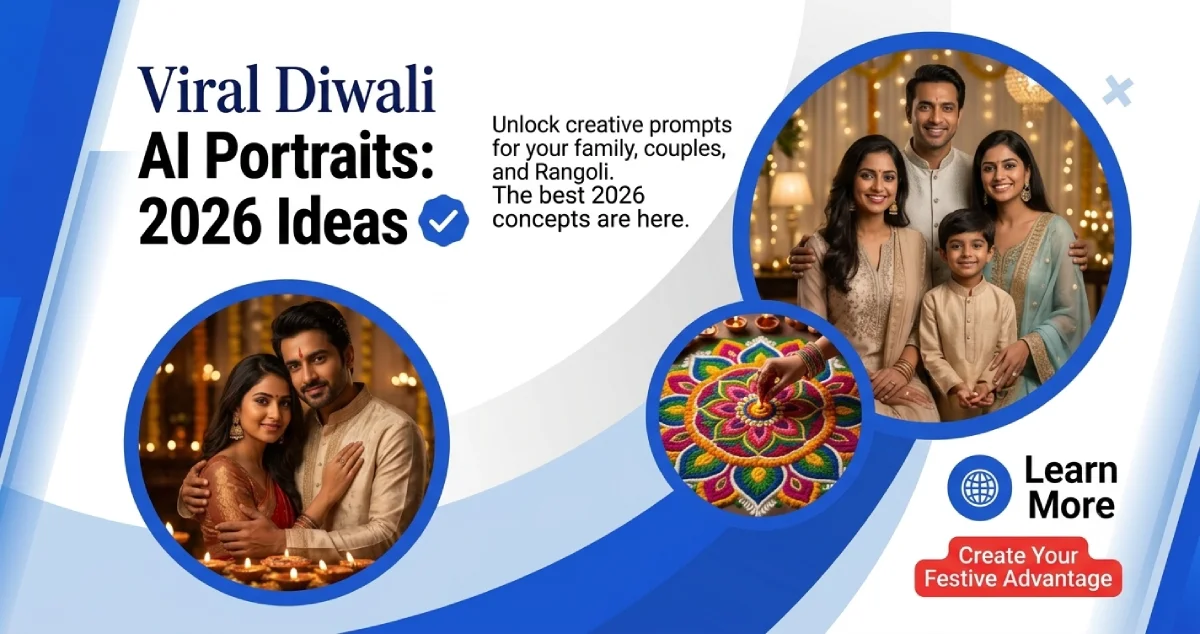
Diwali AI Photo Prompts 2026: Viral Portrait Ideas for Family, Couples and Rangoli
It's the time when homes are lit with diyas, when everybody dresses up in their favorite traditional attire and when phones are full of Diwali pictures. However, in recent years, a new trend has emerged online for celebrating with AI-made festive portraits: the AI-generated festive portraits.
Perhaps you've seen images of individuals in pretty lehengas, couples kissing beneath stunning fairy lights or large families snapping their festive selfies. Some appear to be professional photos, others are like a Bollywood movie or a family photo album from India.
The interesting part? These images start with an ordinary photo and simple written prompt.
The festive photo styles can be experimented with using tools like Google Gemini's Nano Banana, ChatGPT Images and Adobe Firefly in 2026. Professional photography material is not necessary. To write an effective prompt, you must have a clear idea, a photo that is well-composed and a prompt that is well-written.
To help you create some Diwali-themed photos, here are some AI photo prompts for you to copy and use this festive season.
What Makes AI-Generated Diwali Photos So Popular?
A regular festive shot captures a real moment, whereas with AI editing, people can try out and experiment with various settings, outfits, lighting and artistic styles.
A basic photoshoot by someone can be turned into a classic Diwali photoshoot. Couples can capture some lovely romantic holiday photos; families can try out some stunning studio-style photos, without hiring a professional photographer.
It's not all about the glamorous look. They like to see familiar faces in creative environments, and create something new with friends and family.
Typically, the more precisely prompts describe a scene, rather than just asking AI to make a photograph beautiful, the better the results.
1. Traditional Indian Family Portrait
Copy-ready prompt:
Prompt:
Use the uploaded family photograph as the reference model for your Indian Diwali family portrait. All the people are dressed in beautiful traditional Indian outfits in rich festive colours such as sarees, kurtas and ethnic suits. They are standing together on a beautifully decorated balcony with glowing diyas, marigold garlands and warm fairy lights, with happy natural expressions, realistic skin texture, detailed fabric, high quality festive photography, warm cinematic lighting and 4K quality.
This style is perfect for families that are looking to have a harmonious photo for the holidays, but do not want to make a whole photo shoot.
2. Romantic Diwali Couple Portrait
Copy-ready prompt:
Prompt:
Professional Indian wedding photography style, preserve their original facial features and identities, soft cinematic lighting, natural expressions, realistic faces, elegant festive atmosphere, create a realistic romantic Diwali couple portrait using the uploaded photograph as the identity reference, they are dressed in elegant traditional indian outfits, woman wearing beautifully embroidered lehenga and man wearing classic kurta.
Perfect for couples who are looking for a warm, romantic and lovely holiday photo.
3. Royal Traditional Solo Portrait
Copy-ready prompt:
Prompt:
The image will be a traditional royal Indian photo of the subject, in the elegant traditional silk saree or embroidered lehenga with traditional bangles and beautiful hair-do, with the original face and identity intact, and using very rich festive colour, realistic skin tone, with traditional clothing and beautiful lighting in a professional studio style, using soft lights for the portrait.
Alternatively, the description of the outfit can also be changed to sherwani, kurta or traditional suit to change its appearance.
4. Rangoli Portrait
Copy-ready prompt:
Prompt:
“Design a beautiful realistic portrait of Diwali using the photo provided as a reference – the subject is sitting gracefully next to a large coloured traditional Indian rangoli made with flower petals, diyas and intricate patterns, the setting is a beautifully decorated Indian home entrance with marigold flowers and warm festive lights, the person is wearing an elegant traditional outfit, bright but natural colours, realistic facial details, professional festive photography, soft golden lighting, preserve the original facial identity.”
The concept here is a blend of two things which are very familiar to us all during Diwali – the colourful rangoli designs and festive clothes.
5. Retro Bollywood Diwali Portrait
Copy-ready prompt:
Prompt:
Create a traditional Indian look in the 1980s style and use a nostalgic vintage Indian film style for the Diwali portrait with warm gold colours, soft focus, subtle film grain and a traditional Indian film theme background with warm decorative items, traditional diyas, warm gold lights and vintage Indian style props. Make sure the subjects face and features remain the same, and they both wear beautiful traditional Indian outfits with traditional jewellery.
This style can transform the appearance of your holiday photo into something entirely different, if you love old photos.
6. Siblings and Friends Festive Portrait
Copy-ready prompt:
Prompt:
Professional group photography, realistic skin textures, ethnic clothing in colour, body proportions, warm room lighting, and natural smiles from friends or siblings in traditional Indian attire in a beautifully decorated Festive environment, with glowing diyas, marigold decorations, colourful cushions and warm fairy lights, and each individual's facial identity preserved.
A great idea for friends and siblings who are looking for a joint holiday photo.
What Are Some of the Free AI Tools You Can Use for Diwali Photo Editing?
There's no need to get hold of any expensive software to mess around with AI portraits. There are several popular tools that allow free access for creating or editing images but there can be limits to how many images can be generated and what features are available.
Google Gemini (Nano Banana): A useful option for generating and editing images through text prompts. You can upload a photograph and describe the festive changes you want. Its free access has usage limits, while paid plans offer higher access and additional capabilities.
ChatGPT Images: You can upload a photograph and describe the changes you want in everyday language. It can help create festive portraits, change backgrounds and experiment with different visual styles. Image creation is available on the Free plan with limited usage; paid plans offer higher limits.
Adobe Firefly: Another option for experimenting with AI-generated visuals and creative edits. Free users receive limited daily generations across supported generative features. More extensive access may require a paid plan.
For beginners, Gemini is a convenient starting point for festive photo editing. ChatGPT is useful when you want to refine an image through follow-up instructions, while Firefly offers additional creative design options.
How to Get Better Results From AI Diwali Prompts
A good prompt can make a noticeable difference to the final image. Instead of writing only "Make my photo look like Diwali", describe the details you want.
Mention the outfit, background, lighting, camera style and mood. For example, specify whether you want a traditional family portrait, a royal palace setting or a vintage Bollywood look.
If you are editing an existing photograph, add instructions such as:
-
Preserve the original face and facial features.
-
Keep natural skin texture and realistic body proportions.
-
Avoid changing the number of people.
-
Use realistic hands and natural expressions.
-
Avoid excessive beauty filters and artificial-looking skin.
You can also improve the result through follow-up instructions. Ask the tool to make the lighting softer, change the background or adjust the outfit without changing the person's face.
Before Uploading Your Face: A Quick AI Photo Privacy Check
AI portraits are fun, but uploading personal photographs deserves some thought. A face photograph is personal information, and different AI platforms have different data-handling policies.
Before uploading:
-
Read the platform's privacy policy and understand how uploaded images may be processed.
-
Check available activity, data-sharing and model-improvement settings.
-
Avoid uploading photographs containing identity documents, addresses or other private information.
-
Get permission before uploading photographs of friends, relatives or children.
-
Avoid unknown websites and applications that promise unlimited free AI photo editing without explaining how they handle your images.
For example, Google explains that Gemini uploads are processed under its Gemini Apps Privacy Notice. Its Keep Activity setting can affect how uploaded content is used to improve Google services, including possible human review. ChatGPT also provides controls to turn off model improvement for new conversations through Settings and Data Controls.
Remember that deleting a generated image from your device does not necessarily delete the original upload or associated data stored by a platform.
Make Your Diwali Memories More Creative With AI
AI-generated festive portraits offer a new way to experiment with traditional Indian fashion, family photographs and colourful Diwali settings. Whether you want a romantic couple portrait, a beautiful family photograph or a nostalgic Bollywood-inspired look, the right prompt can help turn a simple idea into a creative image.
But the best part of Diwali is still the real celebration: spending time with loved ones, decorating homes, sharing sweets and making memories.
Use AI to add a creative touch to those celebrations, but remember to protect your personal photographs and enjoy the festival beyond the screen.





Comments (0)