

How to Update Mobile Number in Aadhaar Online (2025 Complete Guide)

Being frank, the majority of the population just understands that their mobile number was not connected to Aadhaar only when they require an OTP and it does not come. Did you lose your old SIM, or have switched operators, or just never got a number in the first place, this is one of those scenarios that can silently drag a bank operation, an income tax filing or a DigiLocker log in.
The good news? It is not difficult to update mobile number in Aadhaar. However, there is a fly in the ointment that most of the online guides fade away, you cannot do this one hundred percent online at home. This is a mandatory biometric authentication and as such, a physical visit to an Aadhaar Enrolment Centre is always involved.
This how-to will take you step by step through what to do, how to save time by making your appointment online, what to bring, what to expect at the centre, how much and how to look at whether the update was successful.
[caption id="attachment_10443" align="alignnone" width="1200"]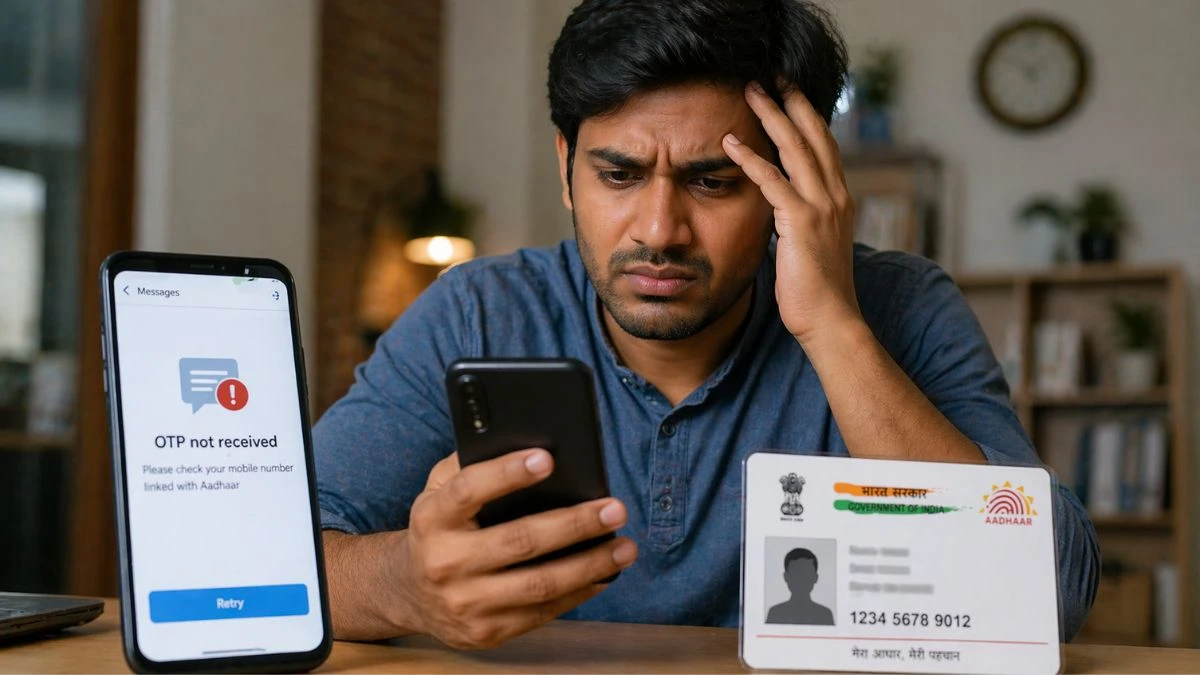 Source ChatGPT: Update mobile number aadhaar[/caption]
 Source ChatGPT: Update mobile number Aadhaar (1)[/caption]
Source ChatGPT: Update Mobile Number Aadhaar (2)[/caption]
Source ChatGPT: Update mobile number Aadhaar (1)[/caption]
Source ChatGPT: Update Mobile Number Aadhaar (2)[/caption]
Source ChatGPT: Update mobile number aadhaar[/caption]
The Real Reason Your Mobile Number is Connected to Aadhaar
It is important to explain why this is really more important than most people expect before the steps. The India core digital identity infrastructure is Aadhaar. The number of eligible residents enrolled is over a billion and the system has now been at the heart of all things between subsidies and Jan Dhan accounts to submitting ITR and seeking passports. Almost all of the government services in which OTP-based authentication is needed require that your mobile number is properly registered in the UIDAI database.This is where it becomes useful:
- DigiLocker only provides login OTP, but only to the Aadhaar-registered number.
- Aadhaar-linked mobile is needed to do an e-verification of income tax e-filing.
- UPI and AEPS (Aadhaar Enabled Payment System) depends on authenticated Aadhaar information.
- Aadhaar OTP authentication is frequently used to identify investors in mutual funds and insurance.
- Google Pay, PhonePe, and other UPI applications require Aadhaar verification when enrolling.
How to update Mobile Number in Aadhaar Online at Home?
It is the top-ranking question searched on Google concerning this subject matter - and the response must be obvious. Yes you cannot change your mobile number in Aadhaar at all at home. This particular update requires biometric authentication (fingerprints and/or iris scan) by UIDAI and this implies that you have to be physically present in an Aadhaar Enrolment Centre.Online you can do:
- Make a booking at an Aadhaar Seva Kendra (ASK).
- Request is initiated using the new Aadhaar App (in some instances, needs biometric completion at a centre)
- Find the closest enrollment centre.
- Monitor your request to update status.
Method 1: Make an Online Appointment, and visit the Centre
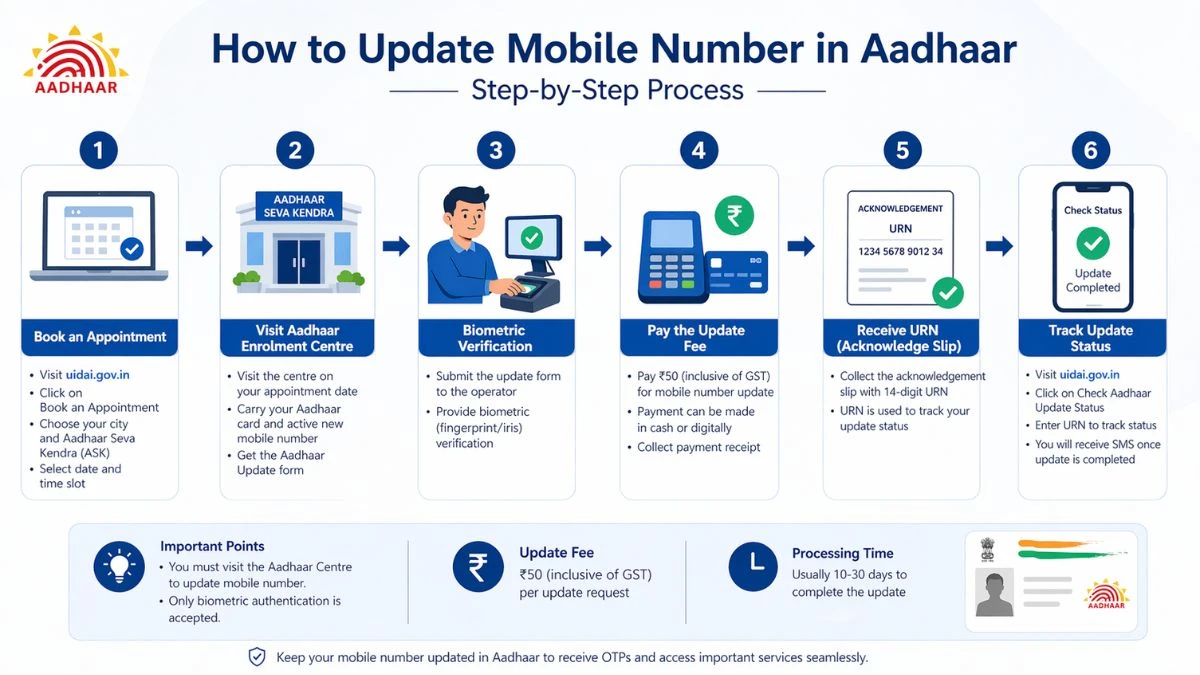
This is the best course of action to a majority of individuals. It works end to end in this way.Step 1: Visit the UIDAI Official Website
Browse to open uidai.gov.in. Ensure that you are using the government site- the address is followed by a URL that ends in.gov.in.Step 2: Click on Book an Appointment
On the home page, you will find a top menu named My Aadhaar on the upper part of the homepage. On the dropdown, you should see Book an Appointment, which is in the Get Aadhaar section.Step 3: Choose Your City and Continue
You will be given the choice of: Aadhaar Seva Kendra, which have been established by UIDAI are modern and dedicated centres, which are now operational in 78 districts including all the metro cities and state capitals. Aadhaar Seva Kendra operated by registrar - they are post offices, banks, and BSNL offices. Choose your city/place and press on Proceed to Book Appointment.4th step: Select Aadhaar Update
In the subsequent screen, you will get options, but you will have to choose Aadhaar Update (not New Aadhaar).Step 5: Fill in Mobile Number and create OTP
Input a valid mobile number (not required to be your Aadhaar-registered number at this point), input the captcha, and press the button of generating OTP. Check it upon arrival.Step 6: Complete the Appointment Form
You will be shown an appointment form once authenticated. Fill in:- Your full name
- Aadhaar number
- City and state of appointment.
- Preference ASK centre closest.
Step 7: Select a Date and Time Slot
Select an opportune time. Aadhaar Seva Kendras operated by UIDAI are on six days per week, 9: 30 AM to 6: 00 PM, including on weekends. The final walk-ins token is given at 5.30 PM.Step 8: Check and get your Appointment Slip
Check your parting time, validate and print out or make a copy of the acknowledgement. You would be required to use this upon reaching the centre. Hint: UIDAI will permit a limit of 4 appointments per month using one mobile number. The appointment is free of charge at all. [caption id="attachment_10444" align="alignnone" width="1200"] Source ChatGPT: Update mobile number Aadhaar (1)[/caption]
Carry With You to the Aadhaar Enrolment Centre
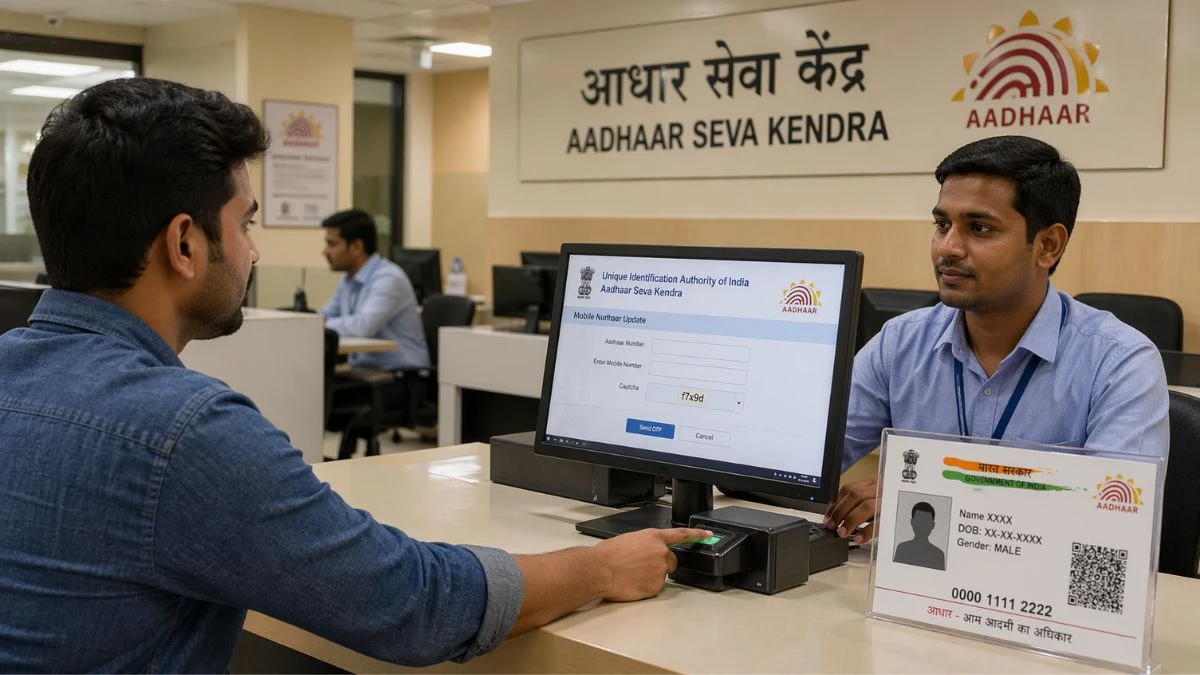
The paper work to update Aadhar mobile numbers is less than some people anticipate. Here are a few items you should bring along: Your Aadhaar card (physical card or e-Aadhaar printout which is downloaded) Your appointment slip (printed or phone) The new mobile number you would prefer to get registered, ensure you have this SIM active and you have it when you visit on that day. There is no need to bring along with you the old registered mobile phone or show ownership to the old number. This is significant to individuals who have lost or completely replaced the old SIM.How It is done at the Aadhaar Enrolment Centre
The visit is fast, less than 15-20 minutes, in case you have made an appointment.- Present your appointment slip at the reception/ token register.
- Send a message to the operator saying that you would like to change your mobile number.
- Complete the Aadhaar Update/Correction Form - the operator will tend to help.
- Offer biometrics - fingerprints and/or iris scan to view.
- Pay fee at the cash desk or through online payment (see on fees below)
- Take acknowledgement slip with the Update Request Number (URN) - your tracking number.
Mobile Number updating in Aadhaar
This is a little yet compulsory payment. According to the UIDAI regulation, which will be in effect between October 2025 and September 2028:Service
One can either pay in cash at the cash counter of the centre or by digital payment where possible. Keep the receipt. No limit on the number of updates to your mobile number over your lifetime - but each time, you will pay ₹50.Procedure 2: Walk In
In case of inconvenience with online booking, you just have to directly walk into any of the authorised Aadhaar Enrolment Centres. The centre process is the same - fill in, biometrics, pay the fee, pick up your URN. The sole disadvantage is that it might have wait time especially during the rush centres within cities. The holders of appointments are normally processed in advance of walk-ins. To find the closest centre, visit the UIDAI Bhuvan Aadhaar Portal bhuvan.nrsc.gov.in/aadhaar/ - you can search by either PIN code, district or state.Method 3: With the help of the New Aadhaar App
UIDAI has also published a specific Aadhaar application that enables its users to change some of its updates in a more transparent and easier manner. To update mobile numbers, in particular:- On the official Aadhaar app, download and open it.
- Use an Aadhaar number as a log-in.
- Click on Update Aadhaar Details on the home screen.
- Tap the mobile number update button.
- Input in the new number and enter.
Checking the status of your Mobile Number update
On your acknowledgement slip, you will receive a 14 digit Update Request Number (URN) after you visit. And this is how you monitor your update being processed.Status check steps:
- Go to uidai.gov.in
- In the My Aadhaar, find Check Aadhaar Update Status.
- Choose URN as the type of input.
- Type in your URN and captcha.
- Click Submit
How to Check whether Your Mobile Number is already connected to Aadhaar
Wonder whether you are registered or not? You are able to check without going to any office.Steps:
Go to uidai.gov.in Click My Aadhaar → Aadhaar Services Check Email/Mobile Number. Provide Aadhaar number, mobile number and captcha. Click Submit Whether or not that number is confirmed with your UIDAI records will be shown on the system.Frequent inquiries related to Update Aadhaar Mobile Number
Q: Is it possible to change my mobile number without visiting a centre? No. The verification using biometrics is required in this update. It has the option of online booking of appointments, though the change is done at the centre. Q: Is there a requirement that I should be carrying my old phone or old SIM? No. You do not have to display the old registered number or device. Only Now your Aadhaar card and a new number you desire to associate. Q: What in case I have not registered a mobile number with Aadhaar? The procedure is similar, go to a centre, complete the Aadhaar Enrolment Form (when first linking), supply biometrics and pay the fee. Q: Is it possible to have more than one Aadhaar card with one mobile number? No. UIDAI can only have one mobile number on Aadhaar. There are however instances where a single mobile number can be connected among the Aadhaar cards of family members but it is advisable to use a different number per individual to facilitate delivery of OTP. Q: What is the case when I am changing operators and maintain the same number? Good news - In case you are porting your number but you want to keep the same digits then, no need to update your Aadhaar. The number is associated with your Aadhaar, but not the network operator. Q: Am I able to cancel or reschedule my appointment? Yes. Enter the UIDAI appointment portal, choose Manage Appointments, and enter your mobile number and OTP and you will be presented with the opportunity to cancel or reschedule. Q: Are there any restrictions to updating my mobile number? The maximum number of times a mobile number can be updated is not particularly restricted as opposed to name (2 times) and date of birth (once). The number of times you can update it is unlimited with ₹50 being charged each time. [caption id="attachment_10445" align="alignnone" width="1200"] Source ChatGPT: Update Mobile Number Aadhaar (2)[/caption]
What will become of your Aadhaar Number at the end of the update?
And your Aadhaar number remains constant. It remains the same no matter how many times you do any updates on your demographic or contact information. The UIDAI database is only updated with the specific field that you updated (in this case mobile number). Nor do you have to reprint a physical Aadhaar card once you’ve changed your mobile number on the card at all - the number is never printed on the card. To get a new e-Aadhaar, you can download a free copy on the UIDAI site once the update is updated.How to have a smooth visit to your centre
Some practical tips that will save you time and a second journey:- Make a reservation - although your closest centre may be open to walk-ins, a reservation slot will get you through quicker.
- Be present 10-15 minutes before your due time.
- Maintain the SIM during the day of the visit - operators can make a quick check call.
- Keep a hard copy of Aadhaar and an electronic one.
- Record the URN in your acknowledgement slip and leave the centre - you only have that as a tracking number.
- Store UIDAI helpline number- the toll-free number is 1947, which can be used with support enquiries.
A Rapid Overview of the whole Process
The complete flow would be as follows:- Go to uidai.gov.in → Book an Appointment (not mandatory but best)
- Find your closest Aadhaar Enrolment Centre through Bhuvan Aadhaar Portal.
- With your Aadhaar and new mobile number visit the centre.
- Complete Aadhaar Update Form and give biometrics.
- Checkout with 50 rupees.
- Take receipt of acknowledgement slip using your URN.
- Status of tracks at uidai.gov.in based on URN.
- Response within 10-30 days; SMS response received.














Comments (0)